How to open a PSD file without Photoshop
PhotoVim can open PSD files in your browser without installing Photoshop. Start with a copy: supported layers and masks can be edited, but complex files may look or behave differently.
Steps
-
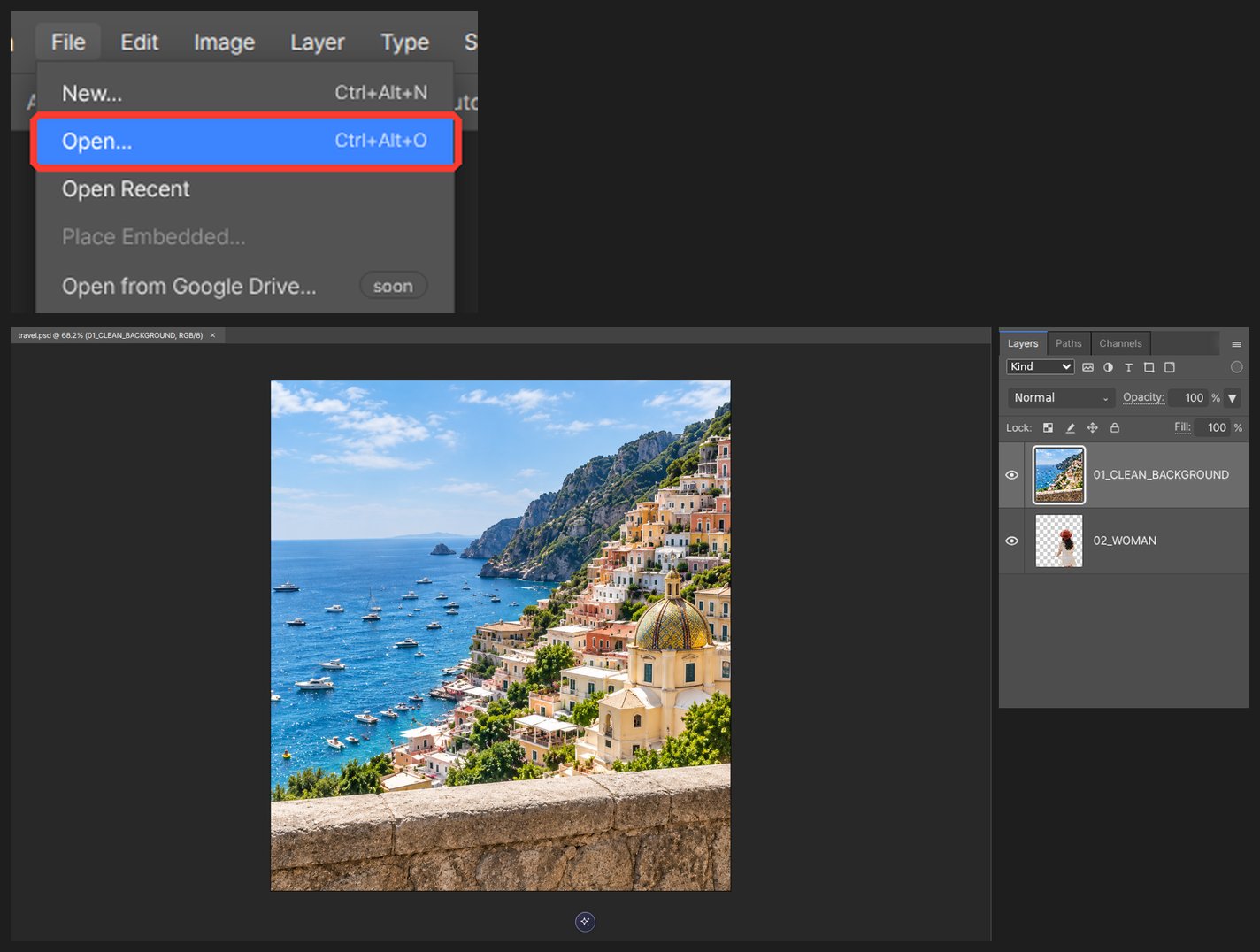
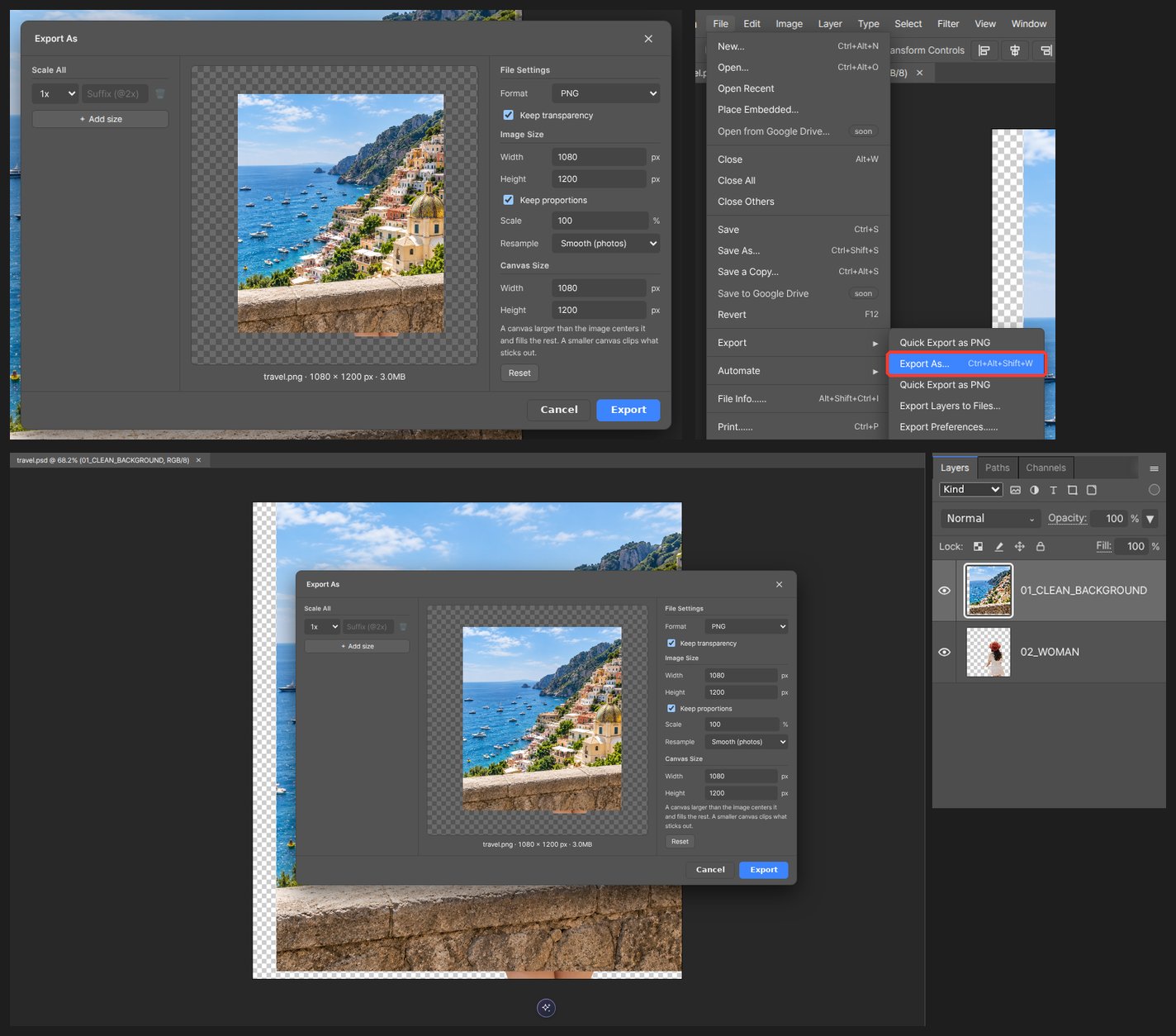
Open the editor and drop the PSD onto the canvas, or pick it from File > Open.
-
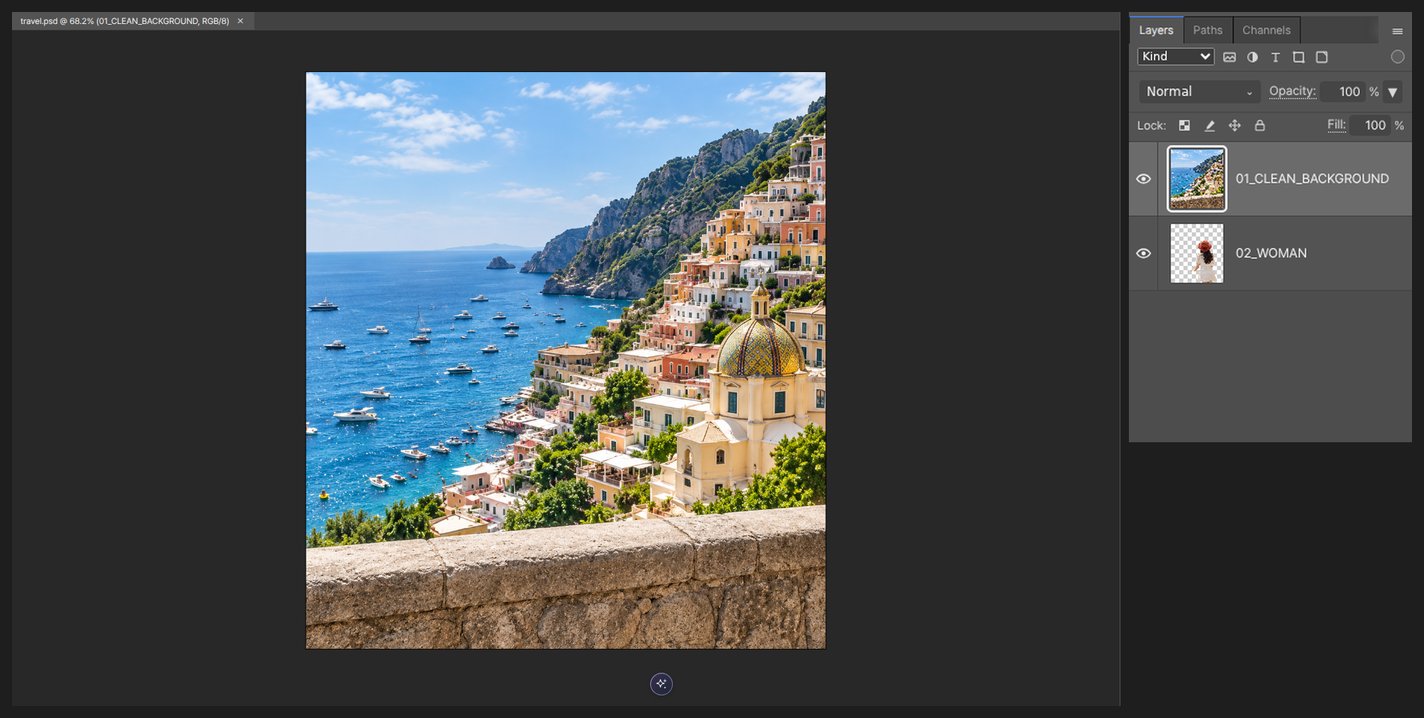
Wait for the PSD reader to load and the document to open. File size, layer count and your device affect loading time.
-
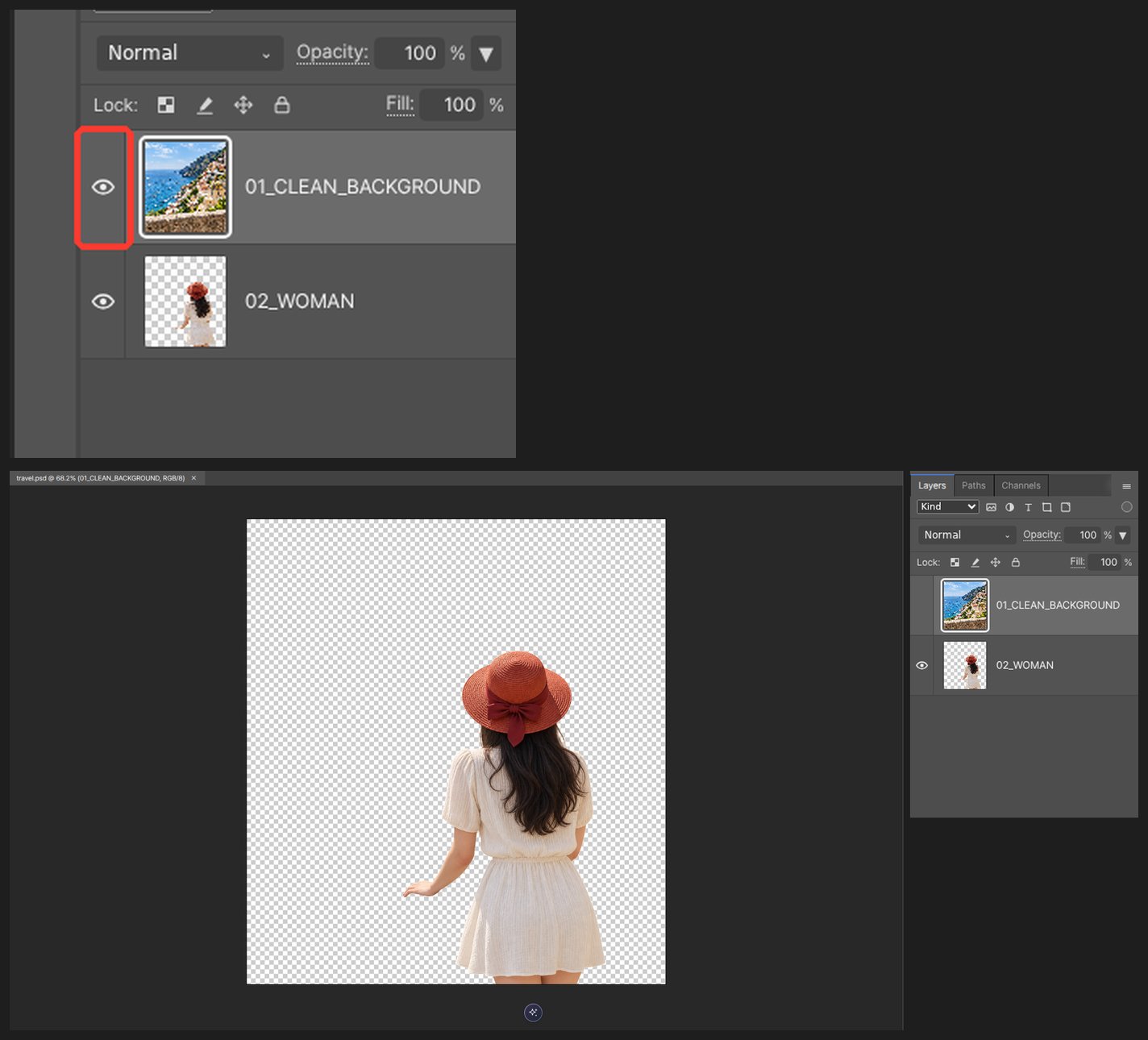
Inspect the Layers panel. Toggle visibility and compare the document with the original before editing.
-
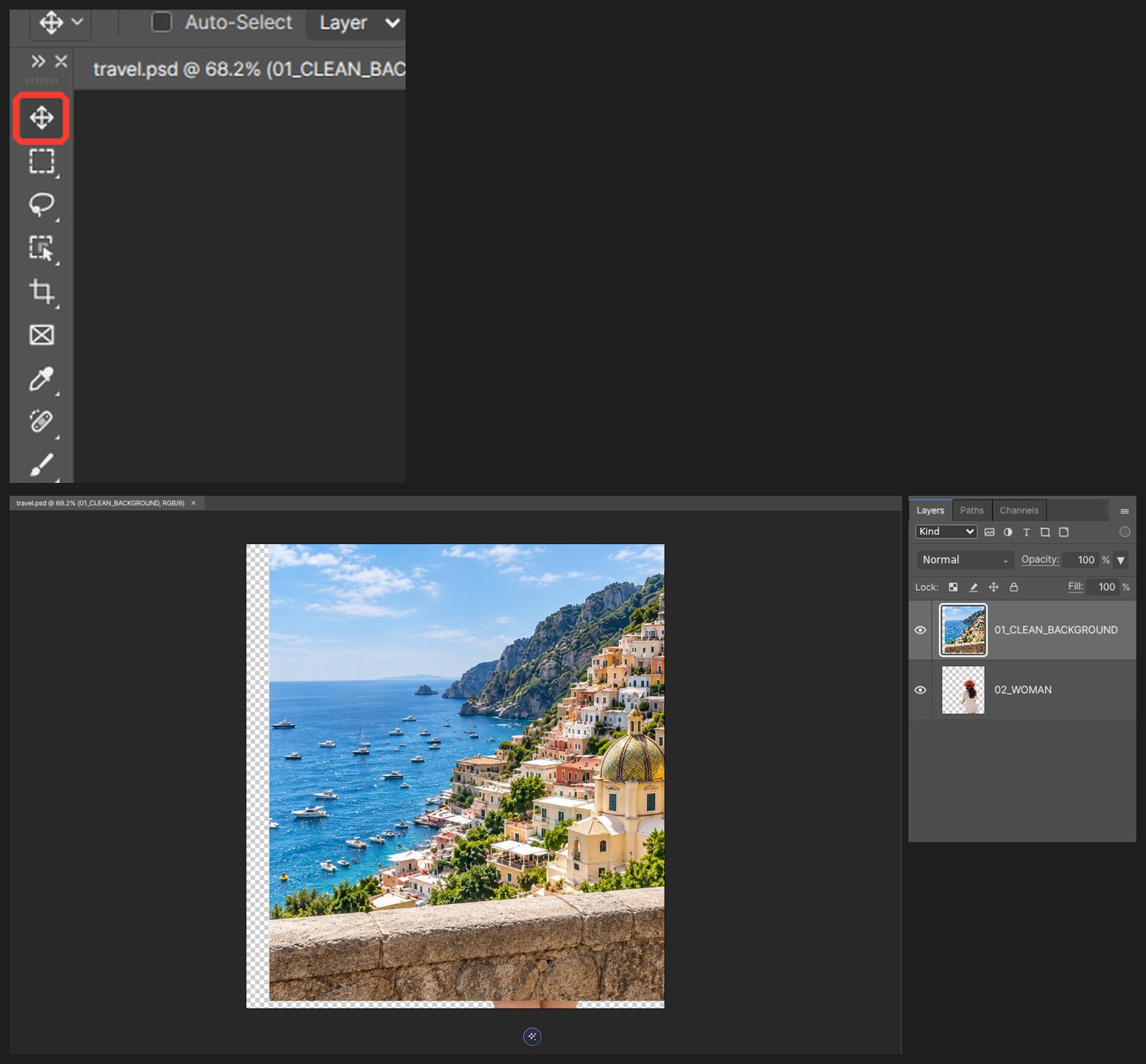
Select a layer to move, resize, or color-correct it, or refine its mask with the brush.
-
Export PNG, JPG or WebP for sharing. Save a separate project or PSD copy to continue editing; a flattened export does not keep editable layers.
Keep the original PSD. Font availability and unsupported text, styles or smart-object features can affect appearance and editability. Browser autosave is local recovery, not cloud backup; download a project copy before clearing browser data.
Questions
Do type layers open as text?
Supported type data can open as editable text, but not every PSD text feature is supported. Missing fonts may change layout. Test the layers you need and check the exported copy rather than assuming full compatibility.
What about layer styles and smart objects?
Support depends on the effect and object. Some settings may be preserved or displayed without being fully editable. Compare the imported and exported copies with the original.