Change an ID photo background
ID photos need a plain background. Select the subject, turn it into a mask, and put a solid color layer underneath.
Steps
-
Open the photo and use Select Subject on the person.
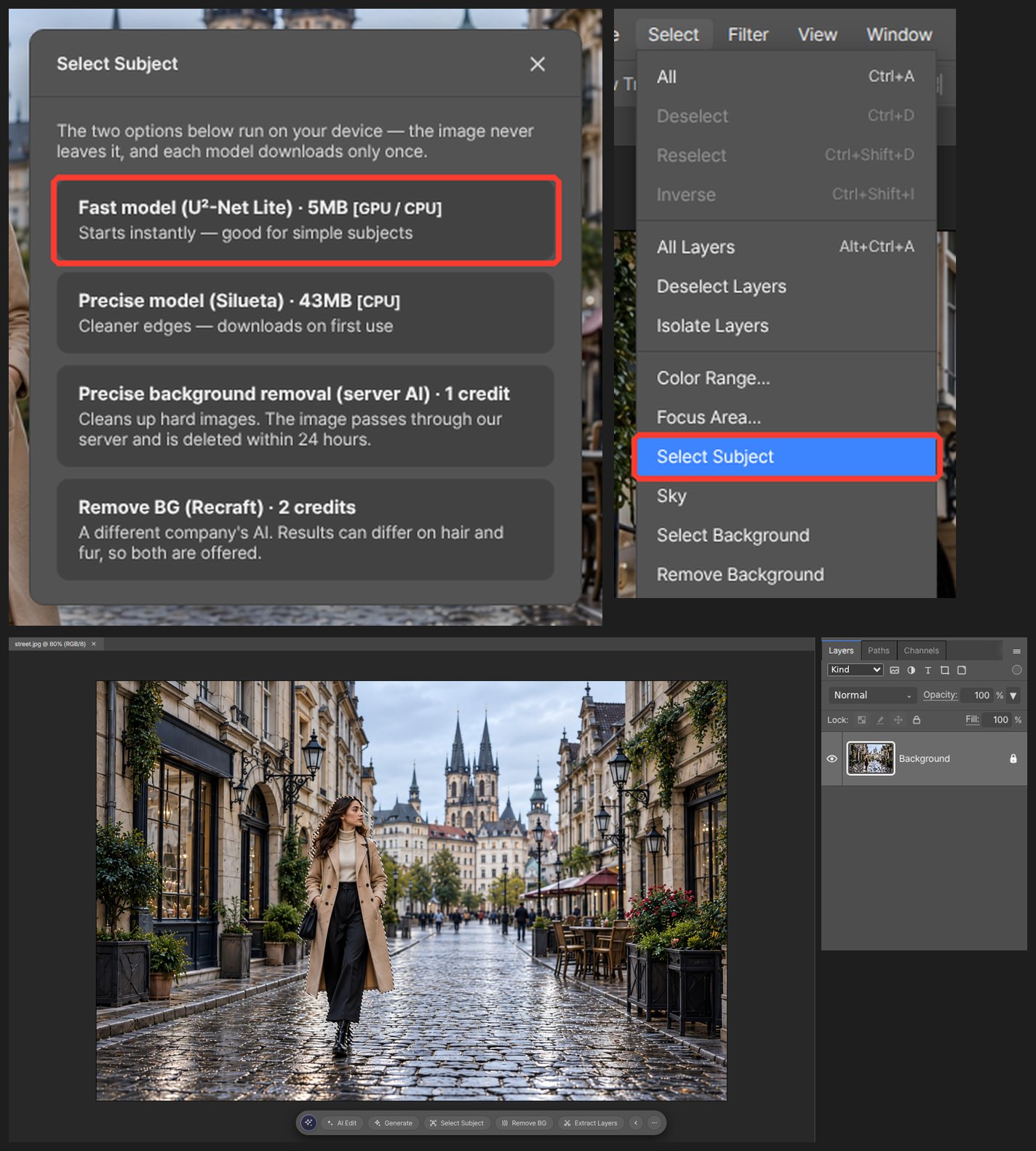
-
Save it as a mask to drop the background.
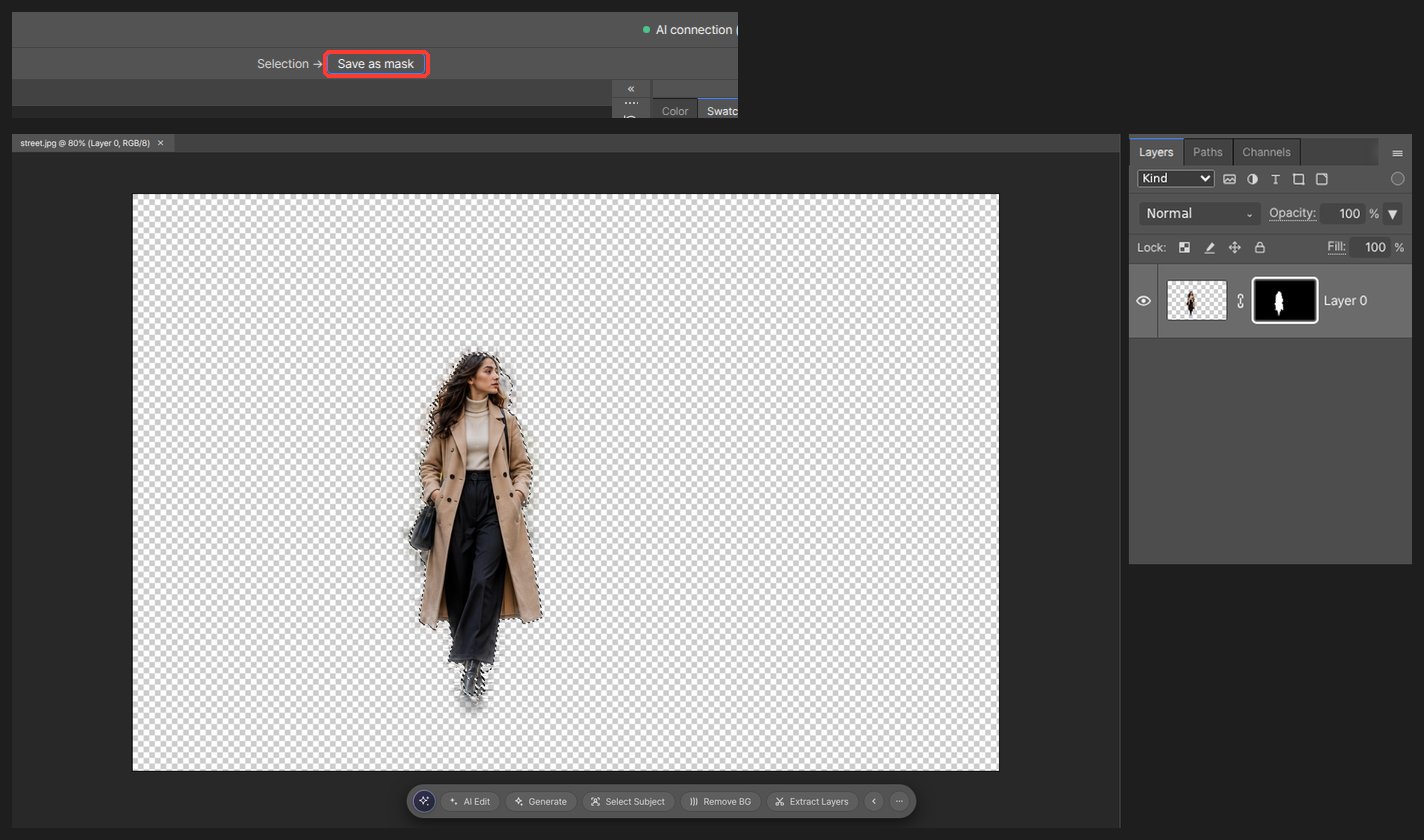
-
Add a new layer, fill it with the color you need, and move it below the person.
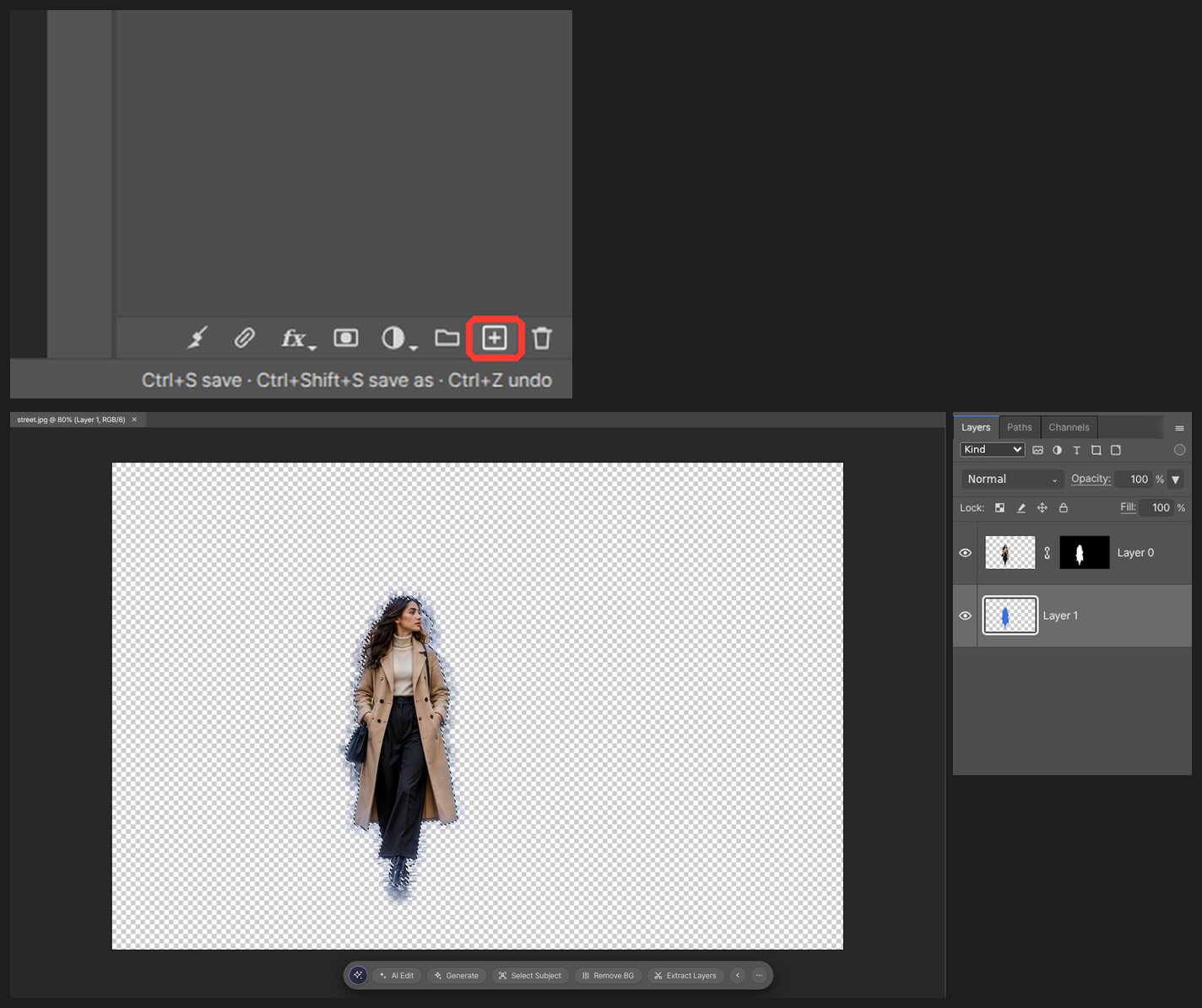
-
Crop to the required size and export.
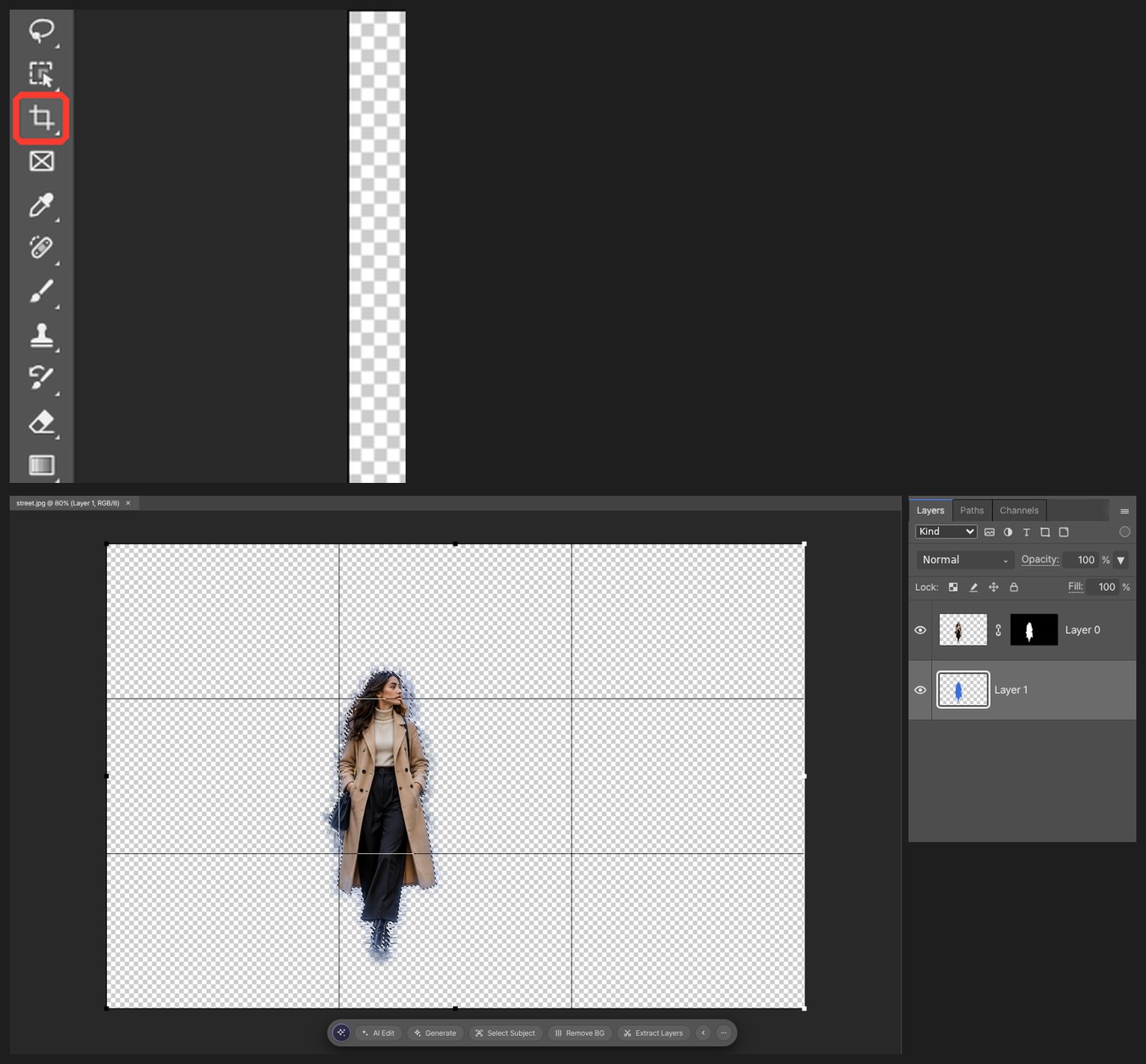
Worth knowing
Soften the mask around hair with a brush. Selection gets harder when clothing matches the background color.
Questions
How do I crop to an exact size such as 35 × 45 mm?
Type width, height and resolution in the Crop tool’s options bar and the crop is cut to that size. Use 300 for print.
The background is the same color as the clothes and selection fails.
After Select Subject, add the missing part with the lasso, or paint the mask directly with a brush.